
Most VCF upgrade problems aren’t technical failures — they’re planning gaps. Wrong sequence, missed prerequisite, a latency assumption that didn’t hold. These three resources close most of those gaps before you touch a single appliance.
1. Planning and Preparation
VCF Planning and Preparation Workbook — an Excel file that gathers every input required to deploy a VCF fleet, including workload domains, identity broker, vSphere Supervisor and VCF Automation.
2. VCF Network Diagrams
https://ports.broadcom.com/network-diagrams/VMware-Cloud-Foundation
This is where the VCF Fleet Latency Diagram lives — and if you’re designing anything multi-region, it’s non-negotiable reading. Fleet-to-instance, collector-to-vCenter, depot-to-instance: each path has its own RTT ceiling, and they differ by an order of magnitude.
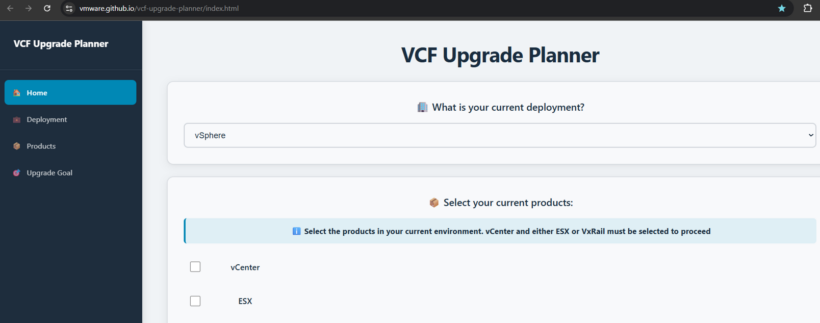
3. VCF Upgrade Planner
https://vmware.github.io/vcf-upgrade-planner/index.html
Rather than hand-assembling an upgrade sequence from release notes, this tool generates one tailored to your actual starting footprint — whether that’s plain vSphere, vSphere with Aria components, or an existing VCF estate.